Infrastructure Nodes
I nodi Infrastructure permettono di gestire server, deploy applicazioni, eseguire query database e comandi remoti.
Blueprint
blueprint
Deploya un blueprint infrastrutturale predefinito con tutti i suoi servizi configurati.
Configurazione
| Campo | Tipo | Obbligatorio | Descrizione |
|---|---|---|---|
label | text | Sì | Nome identificativo |
blueprintId | select | Sì | Blueprint da deployare |
clientId | select | No | Cliente destinatario |
autoStart | boolean | No | Avvia dopo deploy (default: true) |
envOverrides | keyValue | No | Override variabili ambiente |
Blueprint disponibili
| Blueprint | Descrizione | Servizi inclusi |
|---|---|---|
| WordPress | CMS completo | WordPress, MySQL, Redis, Nginx |
| Ghost | Blog platform | Ghost, MySQL, Nginx |
| Strapi | Headless CMS | Strapi, PostgreSQL |
| n8n | Workflow automation | n8n, PostgreSQL, Redis |
| Grafana Stack | Monitoring | Grafana, Prometheus, AlertManager |
Workflow Esempio: Setup Ambiente Cliente

Configurazione completa
1. Trigger
type: trigger
triggerType: event
eventType: "client.created"
2. Blueprint
type: blueprint
blueprintId: "wordpress-starter"
clientId: "{{trigger.event.data.clientId}}"
autoStart: true
envOverrides:
  WORDPRESS_ADMIN_EMAIL: "{{trigger.event.data.email}}"
  SITE_URL: "{{trigger.event.data.domain}}"
3. DNS Manager
type: dnsManager
action: createRecord
domain: "{{trigger.event.data.domain}}"
recordType: A
value: "{{blueprint.output.serverIp}}"
Output
{
  "blueprintId": "wordpress-starter",
  "deploymentId": "deploy-789",
  "serverIp": "192.168.1.100",
  "services": [
    { "name": "wordpress", "status": "running", "port": 80 },
    { "name": "mysql", "status": "running", "port": 3306 }
  ],
  "accessUrl": "https://client-domain.com"
}
Deployment
deployment
Esegue operazioni di deploy Docker su VPS configurati.
Configurazione
| Campo | Tipo | Obbligatorio | Descrizione |
|---|---|---|---|
label | text | Sì | Nome identificativo |
vpsId | select | Sì | Server VPS target |
action | select | Sì | Azione da eseguire |
stackName | text | Dipende | Nome dello stack Docker |
composeFile | textarea | Per deploy | Contenuto docker-compose.yml |
waitForHealthy | boolean | No | Attendi containers healthy |
timeout | number | No | Timeout in secondi (default: 300) |
Azioni disponibili
| Azione | Descrizione |
|---|---|
deploy | Crea o aggiorna uno stack Docker |
start | Avvia containers esistenti |
stop | Ferma containers |
restart | Riavvia containers |
pull | Aggiorna immagini Docker |
remove | Rimuove stack completo |
Workflow Esempio: Blue-Green Deployment

Configurazione Docker Compose
type: deployment
vpsId: "prod-server-1"
action: deploy
stackName: "myapp-green"
waitForHealthy: true
timeout: 120
composeFile: |
  version: "3.8"
  services:
    app:
      image: myregistry/myapp:{{dockerBuild.output.imageTag}}
      ports:
        - "8081:3000"
      environment:
        - NODE_ENV=production
        - DATABASE_URL={{secrets.DATABASE_URL}}
      healthcheck:
        test: ["CMD", "curl", "-f", "http://localhost:3000/health"]
        interval: 10s
        timeout: 5s
        retries: 3
      deploy:
        resources:
          limits:
            memory: 512M
Output
{
  "action": "deploy",
  "stackName": "myapp-green",
  "status": "running",
  "containers": [
    {
      "name": "myapp-green-app-1",
      "status": "running",
      "health": "healthy",
      "ports": ["8081:3000"]
    }
  ],
  "startTime": "2024-01-15T09:00:00Z"
}
Database
database
Esegue query o operazioni su database configurati.
Configurazione
| Campo | Tipo | Obbligatorio | Descrizione |
|---|---|---|---|
label | text | Sì | Nome identificativo |
connectionId | select | Sì | Connessione database |
queryType | select | Sì | Tipo operazione |
tableName | text | Per CRUD | Nome tabella |
query | textarea | Per custom | Query SQL |
whereClause | text | Per select/update/delete | Condizione WHERE |
limit | number | Per select | Limite risultati |
Tipi di operazione
| Tipo | Descrizione | Campi richiesti |
|---|---|---|
select | Lettura dati | tableName, whereClause (opt), limit (opt) |
insert | Inserimento | tableName, data |
update | Aggiornamento | tableName, data, whereClause |
delete | Eliminazione | tableName, whereClause |
custom | Query libera | query |
backup | Backup tabella | tableName |
Workflow Esempio: ETL Pipeline

Configurazione completa
1. Database SELECT
type: database
connectionId: "orders-db"
queryType: select
tableName: "orders"
whereClause: "created_at > NOW() - INTERVAL 1 DAY AND processed = false"
limit: 1000
2. Transform
type: transform
operation: map
expression: |
  items.map(order => ({
    date: order.created_at.split('T')[0],
    revenue: order.total,
    items_count: order.items.length,
    customer_segment: order.total > 100 ? 'high' : 'standard'
  }))
3. Database INSERT
type: database
connectionId: "analytics-db"
queryType: custom
query: |
  INSERT INTO daily_analytics (date, revenue, orders, avg_order)
  VALUES (
    '{{transform.output[0].date}}',
    {{transform.output.reduce((sum, o) => sum + o.revenue, 0)}},
    {{transform.output.length}},
    {{transform.output.reduce((sum, o) => sum + o.revenue, 0) / transform.output.length}}
  )
  ON CONFLICT (date) DO UPDATE SET
    revenue = EXCLUDED.revenue,
    orders = EXCLUDED.orders,
    avg_order = EXCLUDED.avg_order
Query con variabili
Puoi usare variabili template nelle query:
SELECT * FROM users
WHERE email = '{{trigger.data.body.email}}'
AND created_at > '{{previousNode.output.lastSync}}'
Output
{
  "queryType": "select",
  "rowCount": 42,
  "rows": [
    { "id": 1, "name": "John", "email": "john@example.com" },
    // ...
  ],
  "executionTime": 23 // ms
}
Terminal
terminal
Esegue comandi SSH su server remoti.
Configurazione
| Campo | Tipo | Obbligatorio | Descrizione |
|---|---|---|---|
label | text | Sì | Nome identificativo |
serverId | select | Sì | Server target |
command | textarea | Sì | Comando da eseguire |
workingDir | text | No | Directory di lavoro |
timeout | number | No | Timeout in secondi (default: 60) |
continueOnError | boolean | No | Continua se fallisce |
Workflow Esempio: Manutenzione Server

Configurazione completa
1. Docker Prune
type: terminal
serverId: "prod-server-1"
command: "docker system prune -af --volumes"
workingDir: "/root"
timeout: 120
continueOnError: false
2. Clear Logs
type: terminal
serverId: "prod-server-1"
command: |
  find /var/log -type f -name "*.log" -mtime +7 -delete
  truncate -s 0 /var/log/syslog
continueOnError: true
3. Update Packages
type: terminal
serverId: "prod-server-1"
command: |
  apt-get update
  apt-get upgrade -y --with-new-pkgs
  apt-get autoremove -y
timeout: 300
Comandi con variabili
command: |
  cd /app/{{deployment.output.stackName}}
  docker-compose pull
  docker-compose up -d
Output
{
  "exitCode": 0,
  "stdout": "Total reclaimed space: 2.5GB\n",
  "stderr": "",
  "executionTime": 8500 // ms
}
Attenzione
I comandi vengono eseguiti con i permessi dell’utente SSH configurato.
- Usa
continueOnError: trueper comandi non critici - Imposta timeout appropriati per operazioni lunghe
- Evita comandi interattivi (richiedono input)
Best Practices
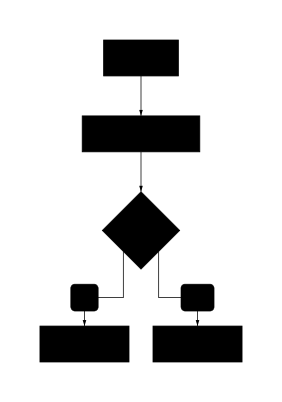
Rollback automatico
Implementa sempre una strategia di rollback:
Secrets management
Non hardcodare credenziali nei workflow:
# ❌ Sbagliato
password: "mypassword123"

# ✅ Corretto
password: "{{secrets.DB_PASSWORD}}"
Timeout appropriati
| Operazione | Timeout consigliato |
|---|---|
| Health check | 5-10 secondi |
| Deploy container | 60-120 secondi |
| Database query | 30 secondi |
| Build Docker | 300+ secondi |